Prerequisites
Complete the prerequisites in Endor Labs and Defender for Cloud before you can configure the integration.Prerequisites in Endor Labs
Ensure that you complete the prerequisites in Endor Labs so that your environment is set up properly to provide findings to Defender for Cloud.- Create a namespace in which you want to manage the repositories. You can also use an existing namespace in Endor Labs.
- Deploy Endor Labs in your environment so that the namespace is populated with the repositories that you want to monitor using Defender for Cloud.
-
Create an API key and secret that you can use in the Defender for Cloud integration.
Ensure that the API key has the
Read-Onlypermission. We recommend that you set the expiry to 180 days or one year to avoid constant refresh of the key.
Prerequisites in Defender for Cloud
Complete the prerequisites in Defender for Cloud so that your environment is properly set up so that your repositories are properly set up for integration, and you have sufficient permissions to manage the integration with Endor Labs.- Enable Defender CSPM on the subscription where you wish to see code-to-runtime contextualization.
- A user with Security Administrator or Global Administrator permissions on the tenant to create the connector to Endor Labs.
- Add repositories that you want to monitor in the tenant. Contributor or Security Admin permissions on an Azure subscription to create DevOps connectors to Azure DevOps or GitHub. For Azure DevOps, Project Collection Administrator is required to onboard the organization. For GitHub, Owner is required to onboard the organization.
- To monitor results, provide a user with at least Security Reader or Reader permissions on the subscription with the DevOps connector.
- To view the attack paths and code-to-runtime capabilities, the container registry can be in Azure, AWS, GCP, or Docker Hub. The Kubernetes cluster can be in Azure, AWS, or GCP. If you use Azure Kubernetes Cluster (AKS) and Azure Container Registry (ACR) with an admin account in the Azure subscription. The ACR must be attached to the AKS so that you can deploy images from ACR to AKS.
Configure Defender for Cloud integration
You need to configure the integration in Defender for Cloud.- In Defender for Cloud, navigate to Management > Environment Settings.
- Select Add Integration > Endor Labs.
- Enter a name for the integration.
- Enter the following information from your Endor Labs environment when you configure the integration:
- Click Save.
Prioritize findings by exploitability
From the Defender for Cloud console, you can use Endor Labs’ function-reachability analysis to prioritize what to fix based on exploitability.- Select General > Cloud Security Explorer.
- Select Query Builder.
-
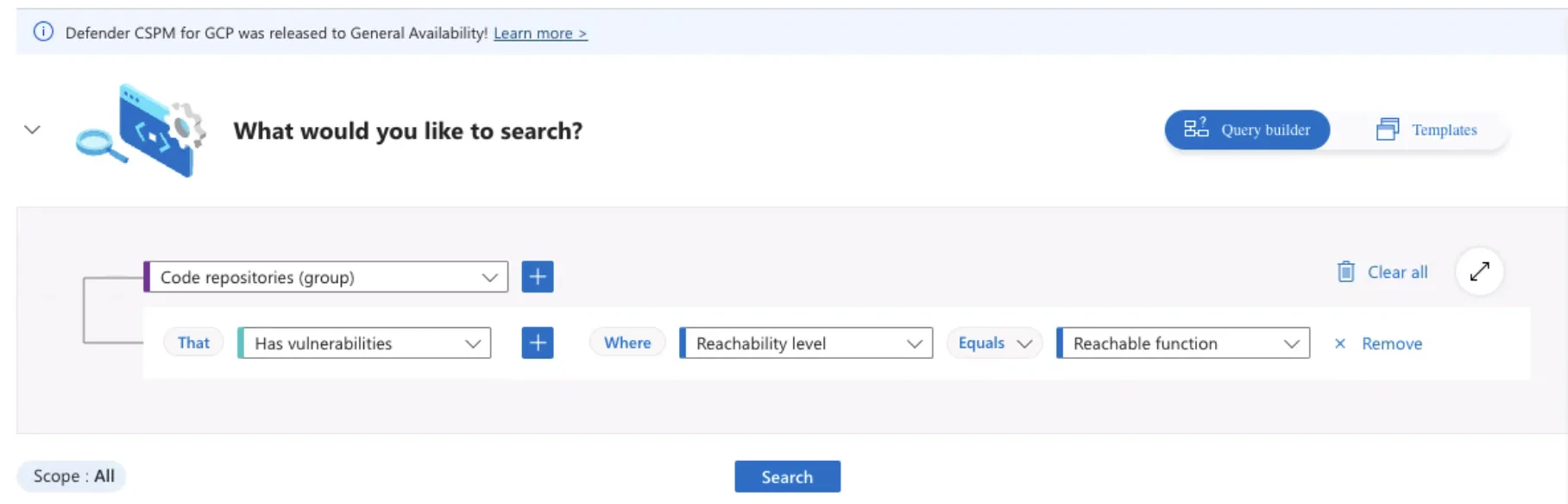
Build a query that searches code repositories that have vulnerabilities with reachable functions.
-
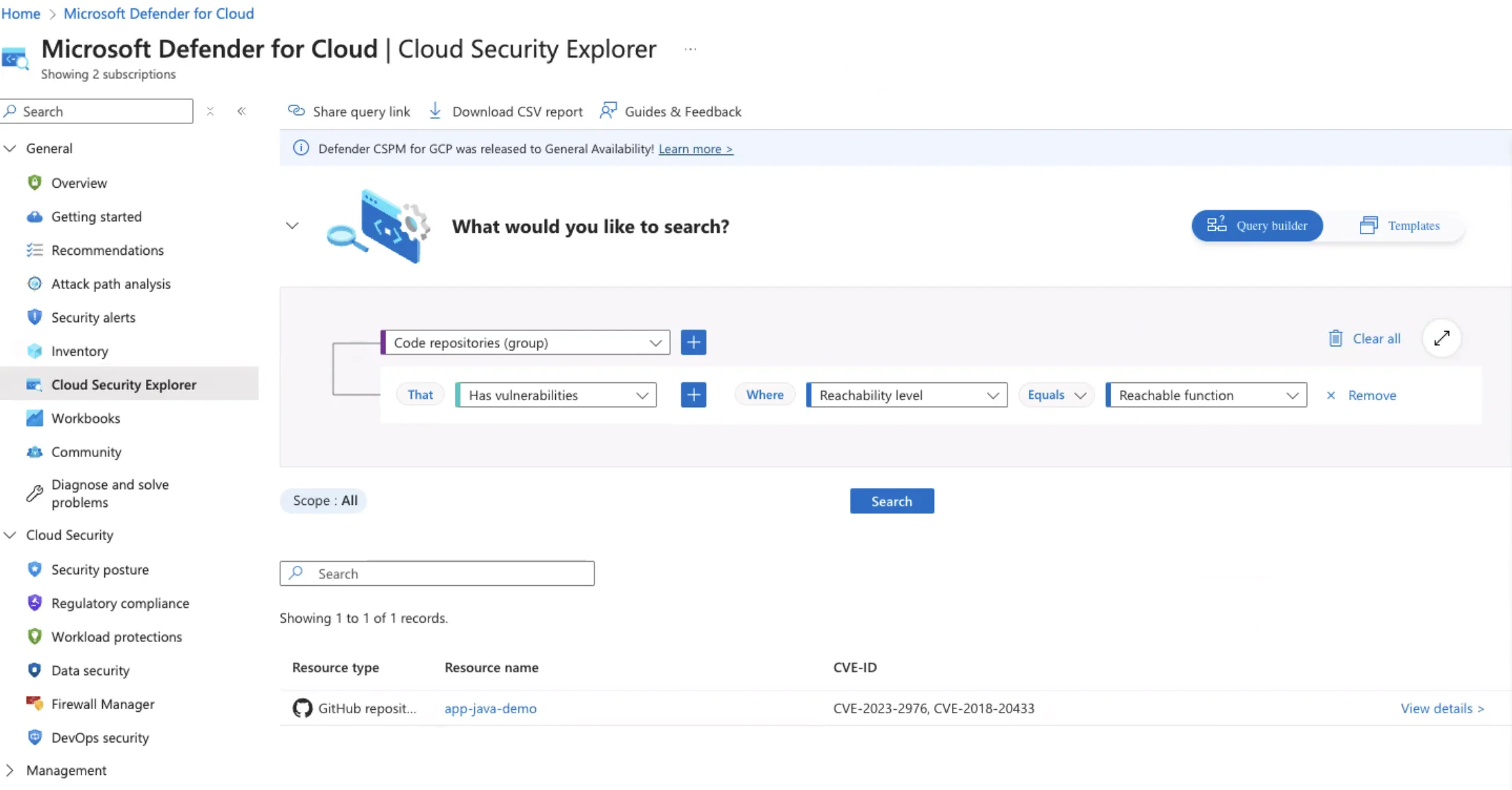
Click Search to list results based on the search query.
-
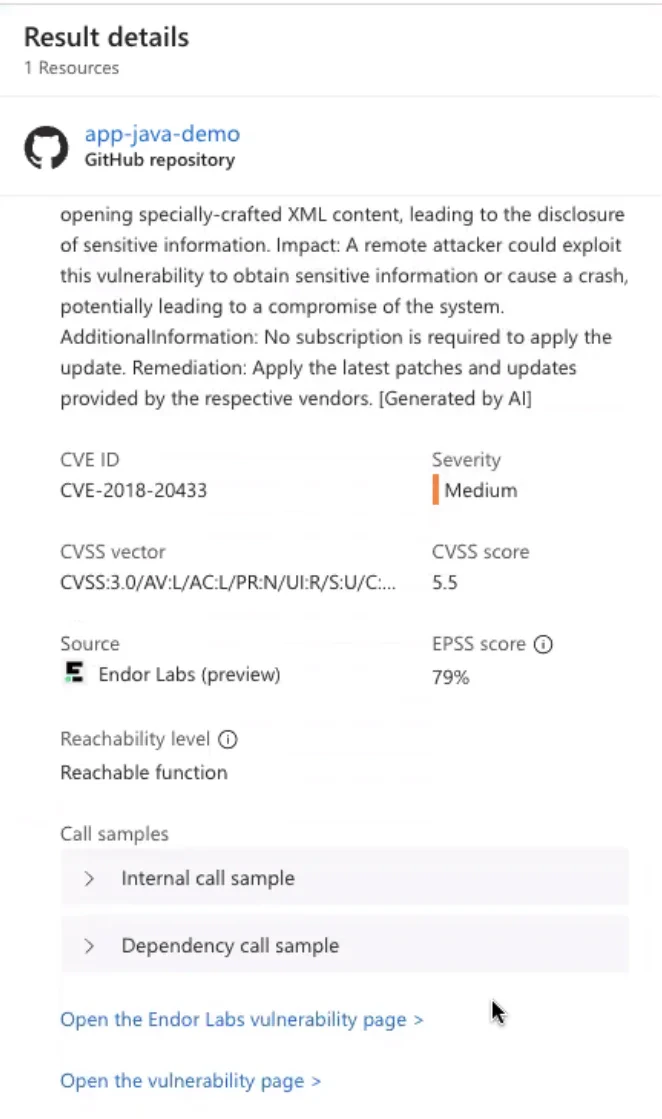
Select a repository to view more details on the vulnerabilities.